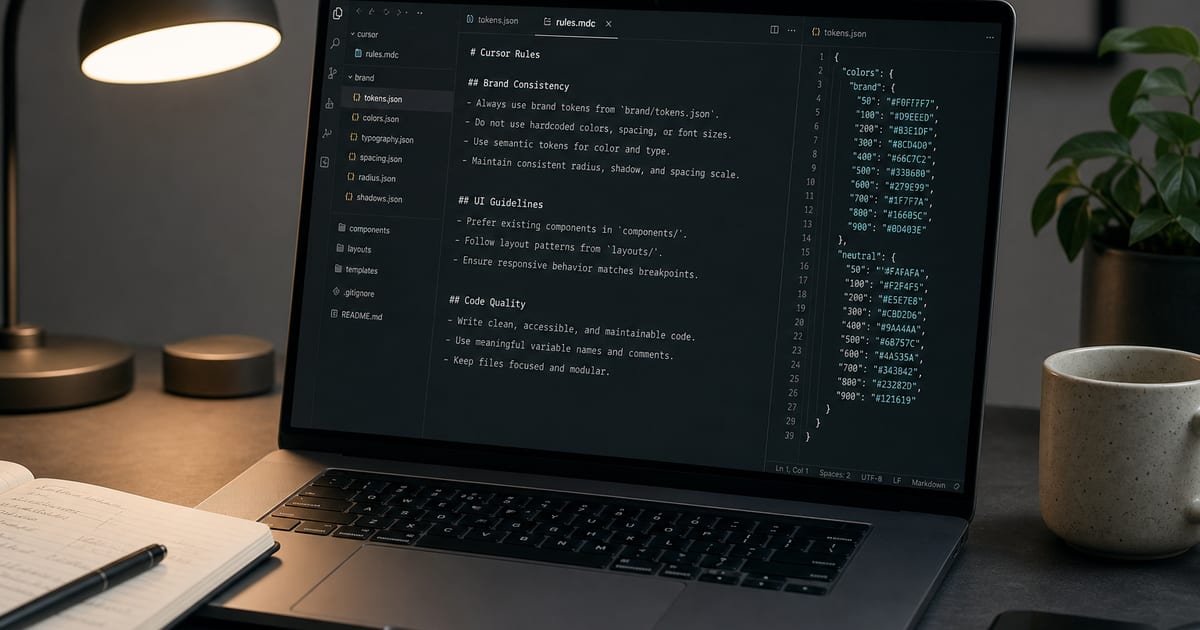
Why brand rules belong in Cursor, not in your head
Cursor and Claude Code read your repo on every task. Without explicit rules, they default to generic Tailwind grays, Inter everywhere, and a slightly different primary blue on each prompt. That drift adds up fast across dashboards, marketing pages, and client work.
Brand consistency in 2026 is a **context problem**, not a design talent problem. You fix it by giving agents a single source of truth — usually DESIGN.md at the repo root — and a handful of `.cursor/rules/*.mdc` files that say what to read first and what never to do.
This guide lists the highest-leverage rules we see teams use in production, with copy-paste snippets. For a live library of token-saving rules, browse Popular Cursor Rules on AI Brand Kits.
What good brand Cursor rules actually enforce
The best rules are short, always-on, and tied to files that already exist in your project. They do not replace DESIGN.md — they make sure the agent opens it before touching UI.
- **Read DESIGN.md first** — mandatory before any styling or component work (follow-design-md rule)
- **Semantic tokens only** — `bg-primary`, `text-foreground`, theme fonts; no raw hex in JSX
- **Reuse existing components** — search `components/ui` before inventing a new button
- **Minimal scope** — no drive-by refactors that restyle unrelated screens
- **Human product copy** — short CTAs, no AI filler words in user-facing strings
- **One source for icons and logos** — Lucide + your logo mark from the brand kit export, not random SVGs
The 2026 stack: DESIGN.md + AGENTS.md + Cursor rules
Think of three layers. DESIGN.md holds tokens and visual rationale. AGENTS.md tells the agent where to look. Cursor rules enforce habits on every chat — especially alwaysApply rules that run even when the user forgets to mention the brand.
- **Layer 1 — DESIGN.md** — Export from the playground or DESIGN.md generator. Commit to repo root. Include colors, typography, spacing, and component notes.
- **Layer 2 — AGENTS.md** — One line: *Follow DESIGN.md for all UI decisions.* Link to how to make Cursor follow my brand.
- **Layer 3 — `.cursor/rules/brand.mdc`** — alwaysApply rules: read DESIGN.md, semantic tokens, reuse components. Copy starters from cursor rules & design tokens.
- **Optional — tokens.json + Tailwind preset** — From a Pro .zip export; rules can say *use `@theme` tokens from globals.css*.
- **Optional — scoped rules** — `components/**/*.tsx` only for UI files; keeps brand rules from firing on API routes.
Rule sets by team size
Solo founders need two alwaysApply rules and DESIGN.md. Agencies shipping multiple client repos benefit from a template `.cursor/rules` folder copied into every export .zip. Product teams add CI or agent lint later — rules get you 80% there without a design ops hire.
- **Solo / indie** — follow-design-md + minimal-scope + human-copy rules
- **Agency** — client DESIGN.md per repo + no-new-deps + match-conventions from Popular Cursor Rules
- **SaaS product** — tokens.json in repo + reuse-components + plan-before-multi-file for large features
- **Design system team** — link to Storybook or component docs in DESIGN.md; add globs on `packages/ui/**`
FAQ
- Where do I paste Cursor rules in 2026?
- Project rules live in `.cursor/rules/*.mdc` at the repo root. You can also use Cursor Settings → Rules for user-wide defaults. Project rules win for brand-specific repos.
- What is the difference between DESIGN.md and a Cursor rule?
- DESIGN.md is your brand specification — colors, fonts, spacing, component guidance. Cursor rules are short instructions that tell the agent to read DESIGN.md and how to behave (semantic tokens, no refactors, etc.). Use both.
- Should brand rules be alwaysApply?
- Yes for core brand rules: read DESIGN.md, semantic tokens only, reuse components. Use scoped globs for stricter UI-only rules on large monorepos so backend tasks stay fast.
- How do I stop Cursor from using random hex colors?
- Add an alwaysApply rule: never use raw hex or rgb in components; use semantic Tailwind classes from DESIGN.md. Export tokens to globals.css or tokens.json from AI Brand Kits so classes exist.
- Do these rules work with Claude Code and Windsurf?
- DESIGN.md and AGENTS.md work across agents. `.mdc` format is Cursor-specific; Claude Code reads CLAUDE.md and DESIGN.md similarly. See brand kit for Claude Code.
- Can I copy rules without writing my own?
- Yes. Use the Popular Cursor Rules page — each card is a full `.mdc` snippet. Start with Follow DESIGN.md, Minimal scope, and Reuse components.
Related
Free tools
Interactive utilities you can use without an account. Each tool links to related guides and export workflows across the site.